Posted on
January 8, 2026
2025 was a wild year. As difficult as it was, it was also incredibly productive. I thought I’d sit back and recap the best work I put out, from audio-centric prototypes to WebGPU to art and animation — there’s plenty to get inspired by if you’re looking towards the future intersection of art and code.
Design Token Manager (for Blender)
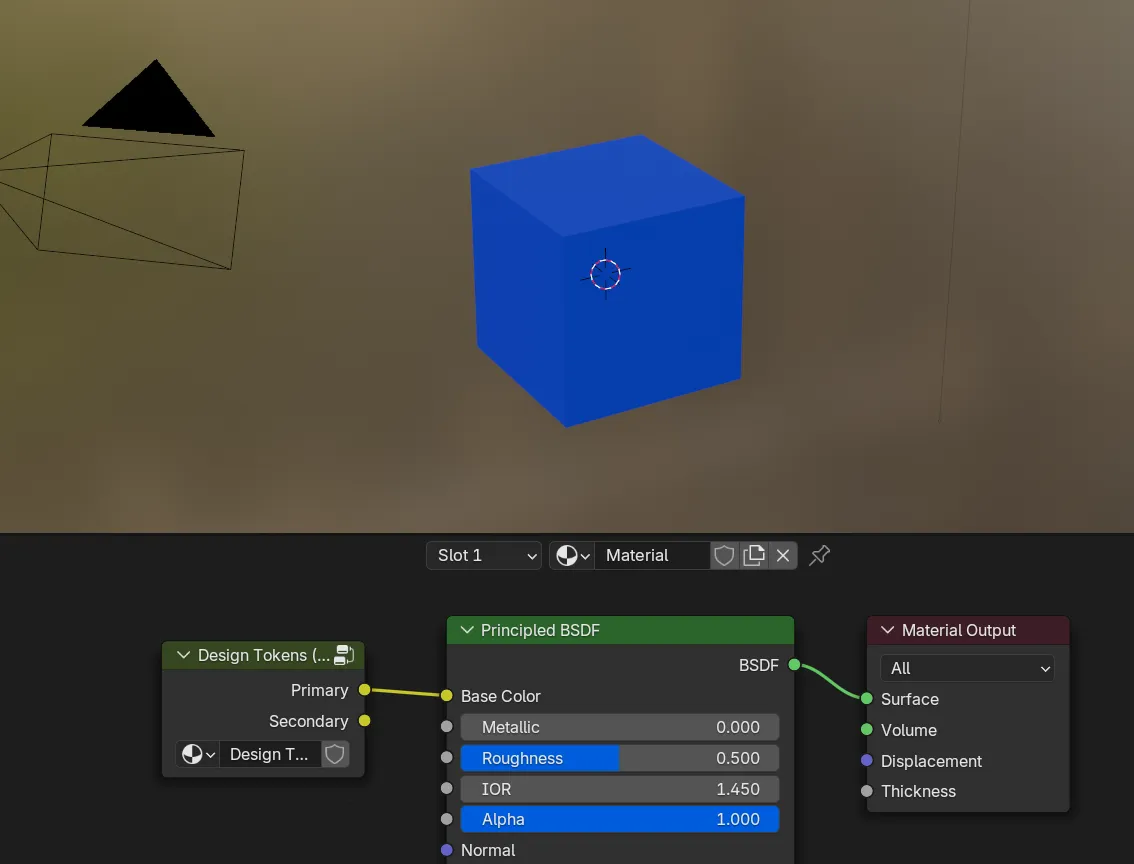
I did a lot of motion graphics in Blender in 2024, and to support that in 2025, I created a plugin to manage standard colors I’d use often. It works by storing a hash map of color values and their tokens as a Blender “collection”. Then the user can access these tokens in their materials or geometry nodes.
The plugin handles the effort of creating and updating the custom node group creating the color tokens. As well as importing and exporting tokens from JSON, assuming you use a standard design token format.
Since I haven’t needed to do much importing of custom colors, I was able to create preset materials and node groups that I reused in other Blender files using the “asset manager” feature instead. But if you’re doing lots of motion work that replicated web UI, this would be useful.
Check out the source code here.
MIDI Motion updates
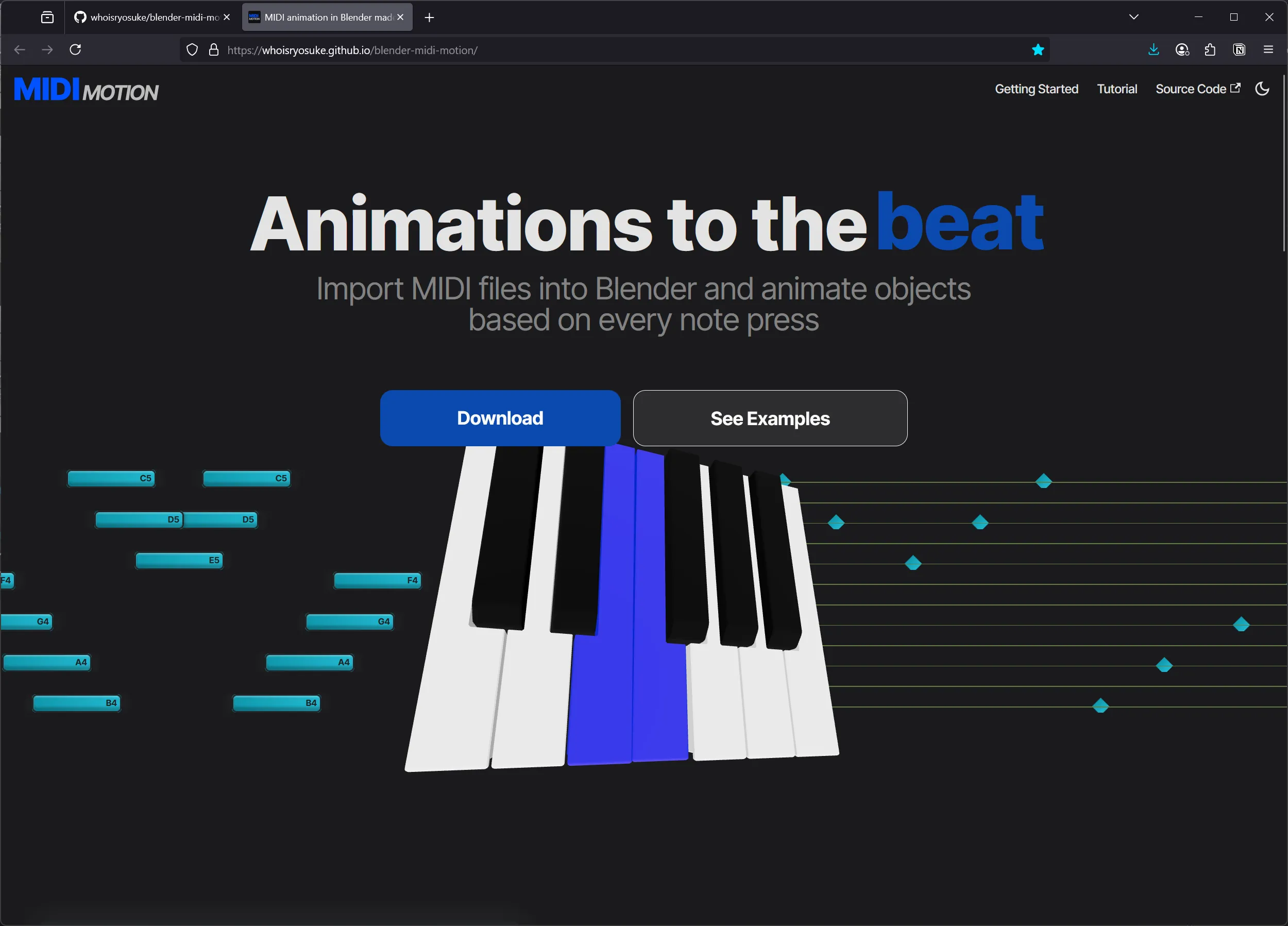
In 2024 I created a plugin for Blender that lets you animate objects using MIDI data. This allows you to quickly create an animated piano that actually syncs to real music. After doing a bit of updates and using the plugin for a while, I decided to create a brand and documentation for it.
I renamed the project to MIDI Motion and created a documentation website using Docusaurus, and I specifically designed the frontpage to promote the plugin’s features. It uses ThreeJS to render 3D piano keys that play using animation data baked from Blender (generated by the plugin). And the translation of MIDI notes to Blender keyframes is emphasized by a DOM-based animation that syncs up to the 3D animation.
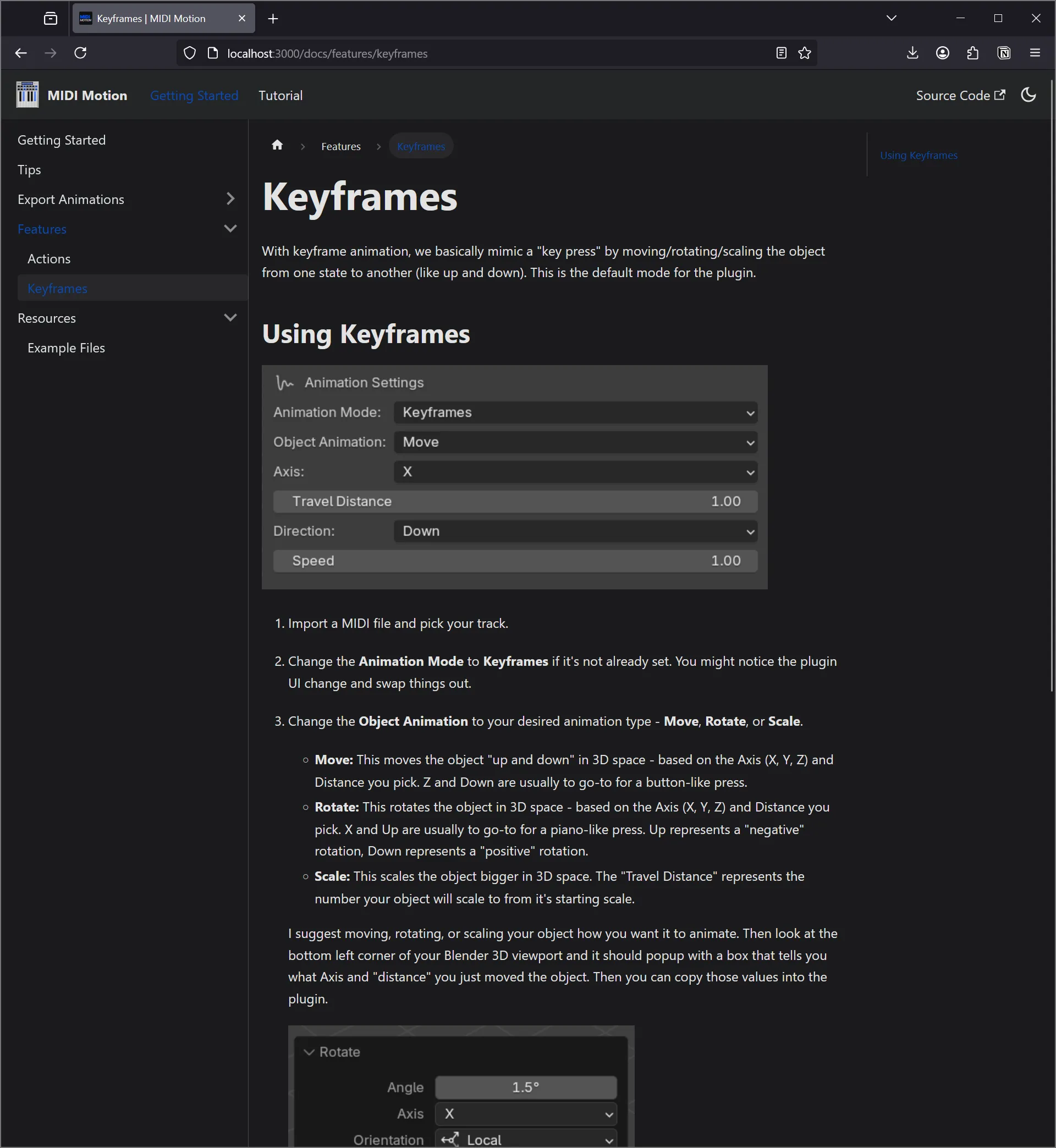
I also created a full documentation site that goes over each feature (keyframe and action based animations), and filled it with example Blender files for users to easily get started with.
And one of the biggest updates to MIDI Motion — 88 key support. Previously we only animated 12 piano keys at a time (aka a single octave), but now the plugin can detect up to 88 keys automatically. The biggest hold up to adding the feature was figuring out the UX. For 12 keys, we allow the user to manually select objects, which stores a pointer to it in the backend. But Blender doesn’t allow you to store pointers in a dynamic container (like an array) — so we had to manually define each key as a class property. As you can imagine, for 88 keys, that’d be excessive. So instead, we basically do the same logic we do to detect keys automatically and use it as default basically, allowing the plugin to just find 88 keys each time you generate an animation.
Check out the docs here and source code here.
Oat Milk UI
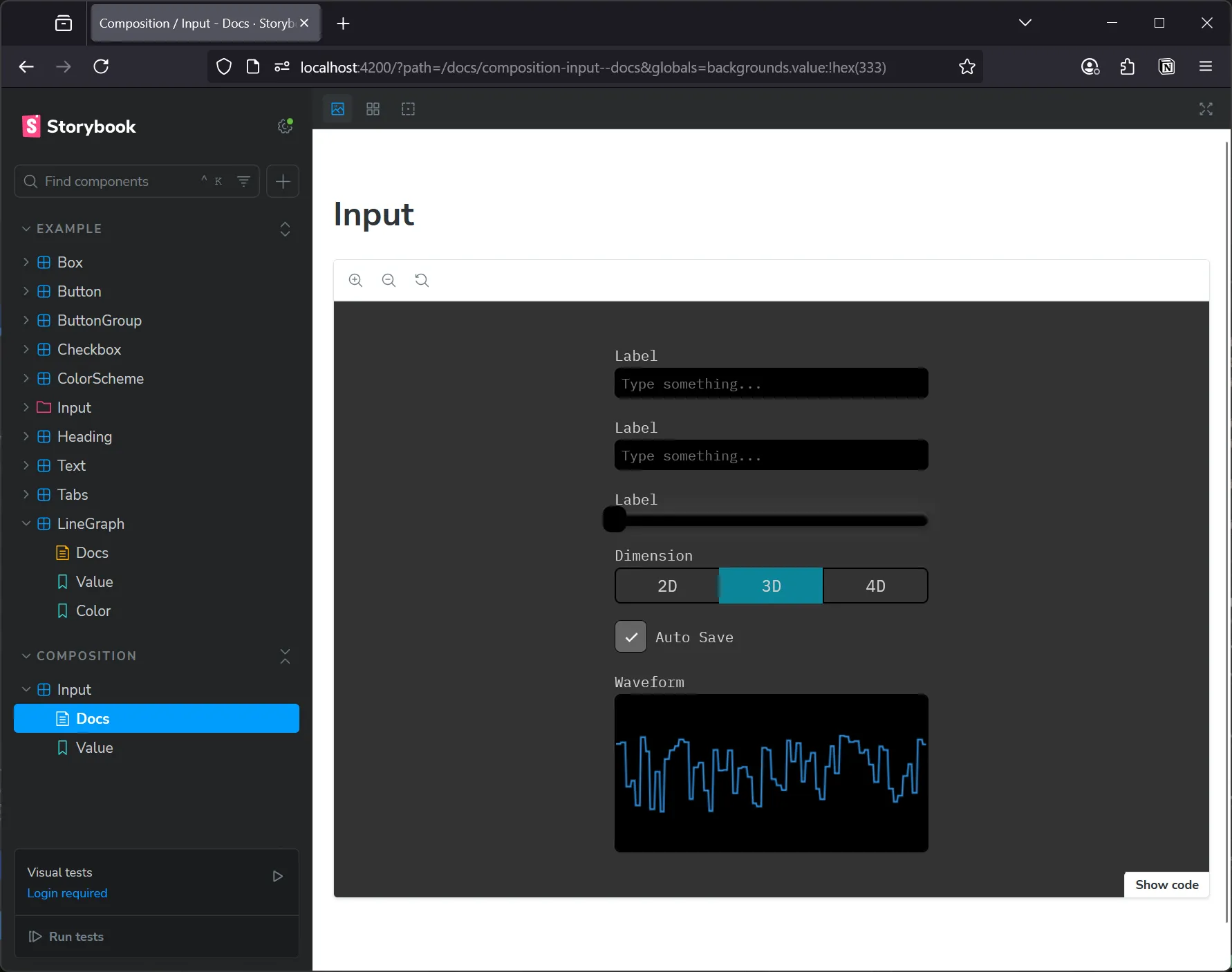
As a creative technologist I do a lot of prototyping. I’m constantly creating miniature (or ginormous) apps that require a lot of UI - often custom. I’m no stranger to using existing design systems and UI libraries to accomplish my project at a faster pace, but sometimes those systems fall short of my expectations. That led me to creating my own UI library, Oat Milk Design. It’s less of a solution than it is my personal experimentation sandbox.
It’s a UI library created using React and Styled Components. Nothing wild, just something easy to use and extend from. And I added my favorite UI feature — responsive utility style props. Instead of leaning on Styled System, I spun up my own tiny solution instead. And it…worked. I’ve got all the basic components in place, and for more complex ones (like the combo box) I reach for Base UI and just wrap it.
ℹ️ As I’ve used this library and been able to run it through it’s paces, I’ve started a new experiment where I’m porting the library to using an atomic CSS solution: StyleX. I was honestly debating just tearing out Styled Components and throwing in CSS modules and leaning on modern CSS features like custom properties — but that’s simple. There’s nothing to explore there except optimization (which inevitably points back to PostCSS or similar), so instead I opted to explore the atomic CSS avenue and see how productive it can be at small and larger scales.
Check out the source code here.
WebGPU using Typescript
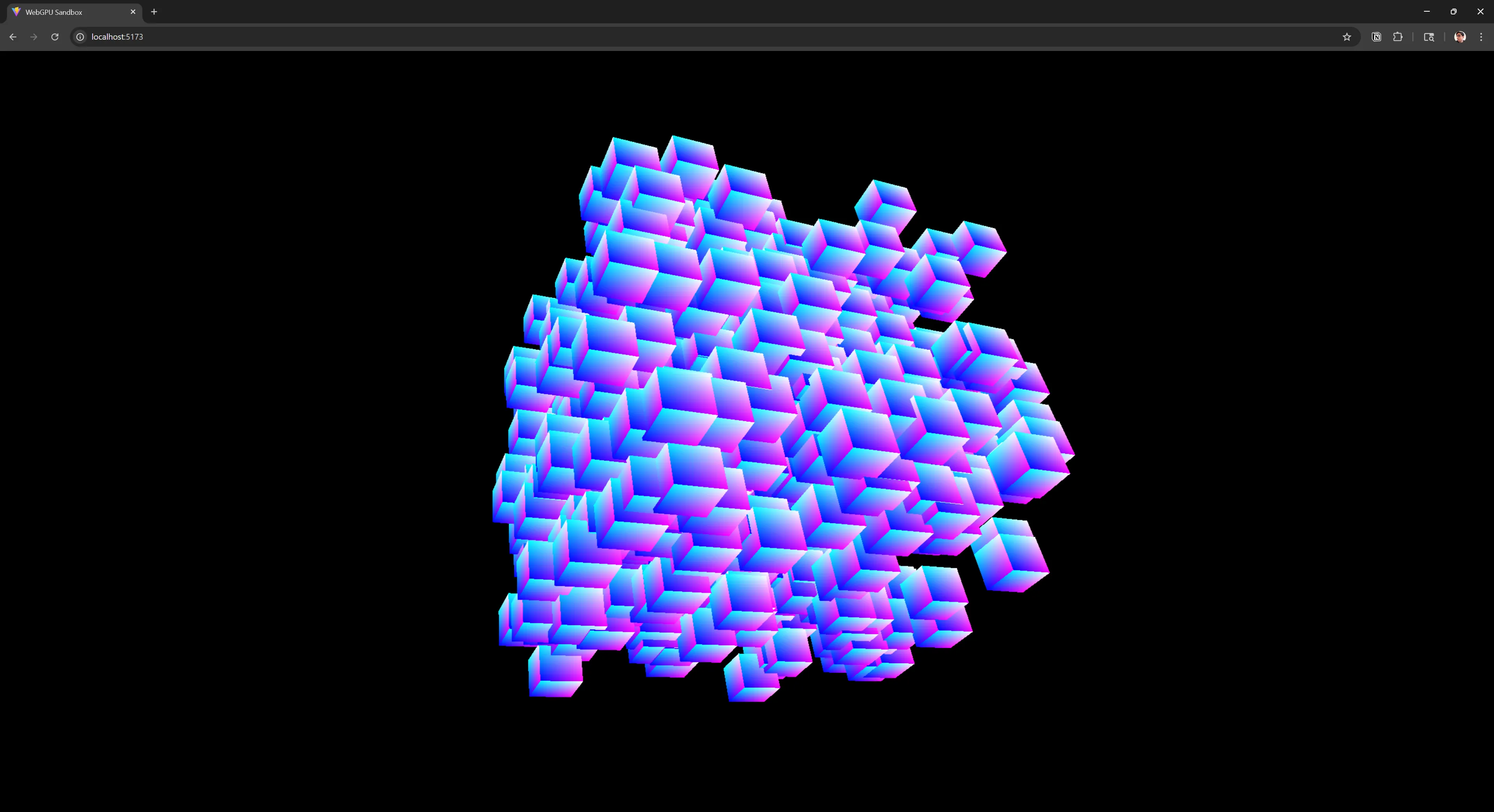
I’ve worked with WebGPU in the past using Rust, but in 2024 I decided to re-approach it on the web. My goal was to create a 3D framework that I could use like ThreeJS or BabylonJS, but completely custom made.
I was able to setup a renderer and standard 3D architecture around it for handling things like materials or instancing objects.
Check out the blog post here, or the source code here.
Web Audio Node Graph
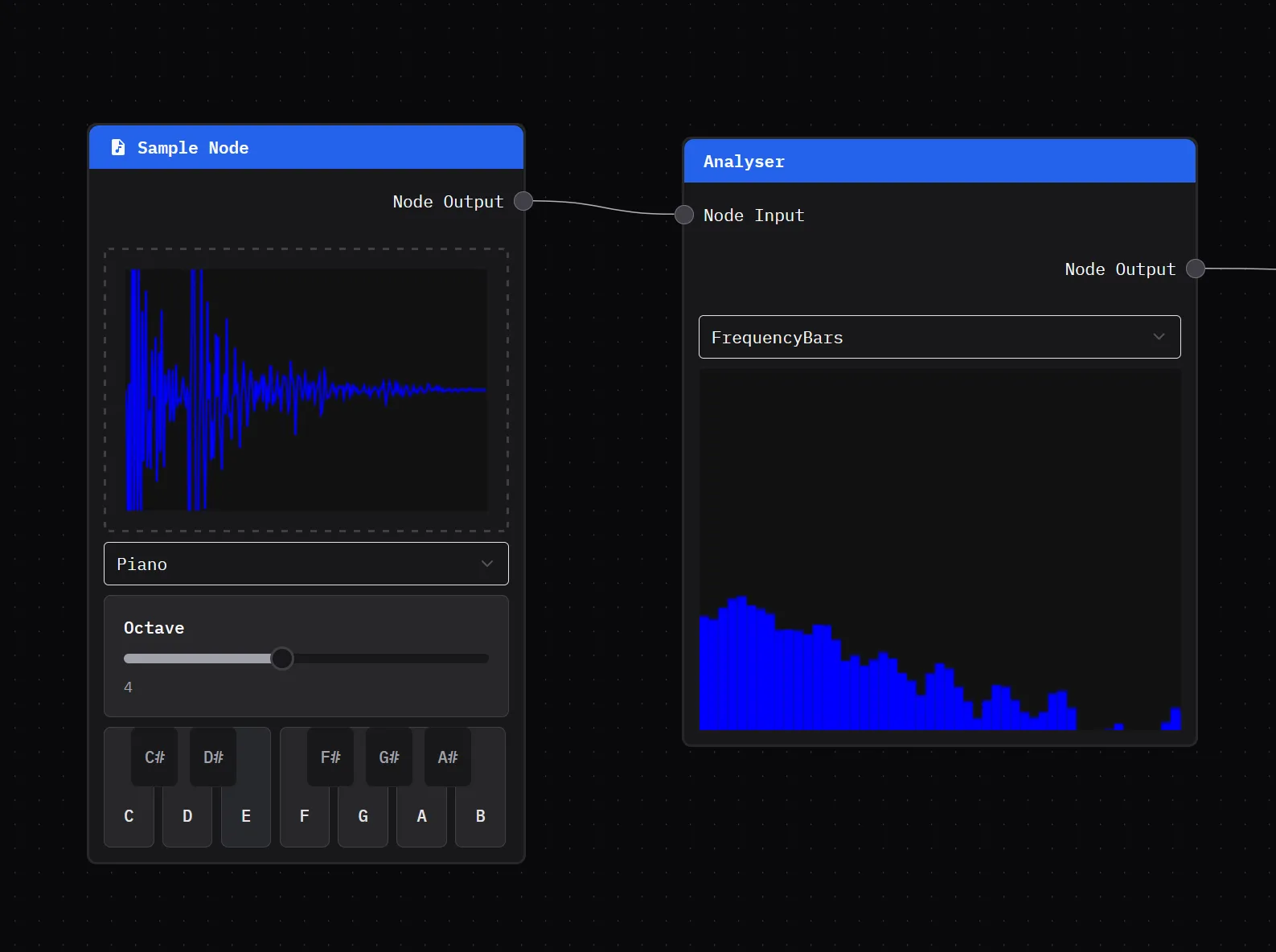
As I was researching audio, I decided to put together a little app to experiment with the Web Audio API to understand it’s limitations and potential. It uses Reactflow to handle the node graph, while the audio is powered by a custom backend.
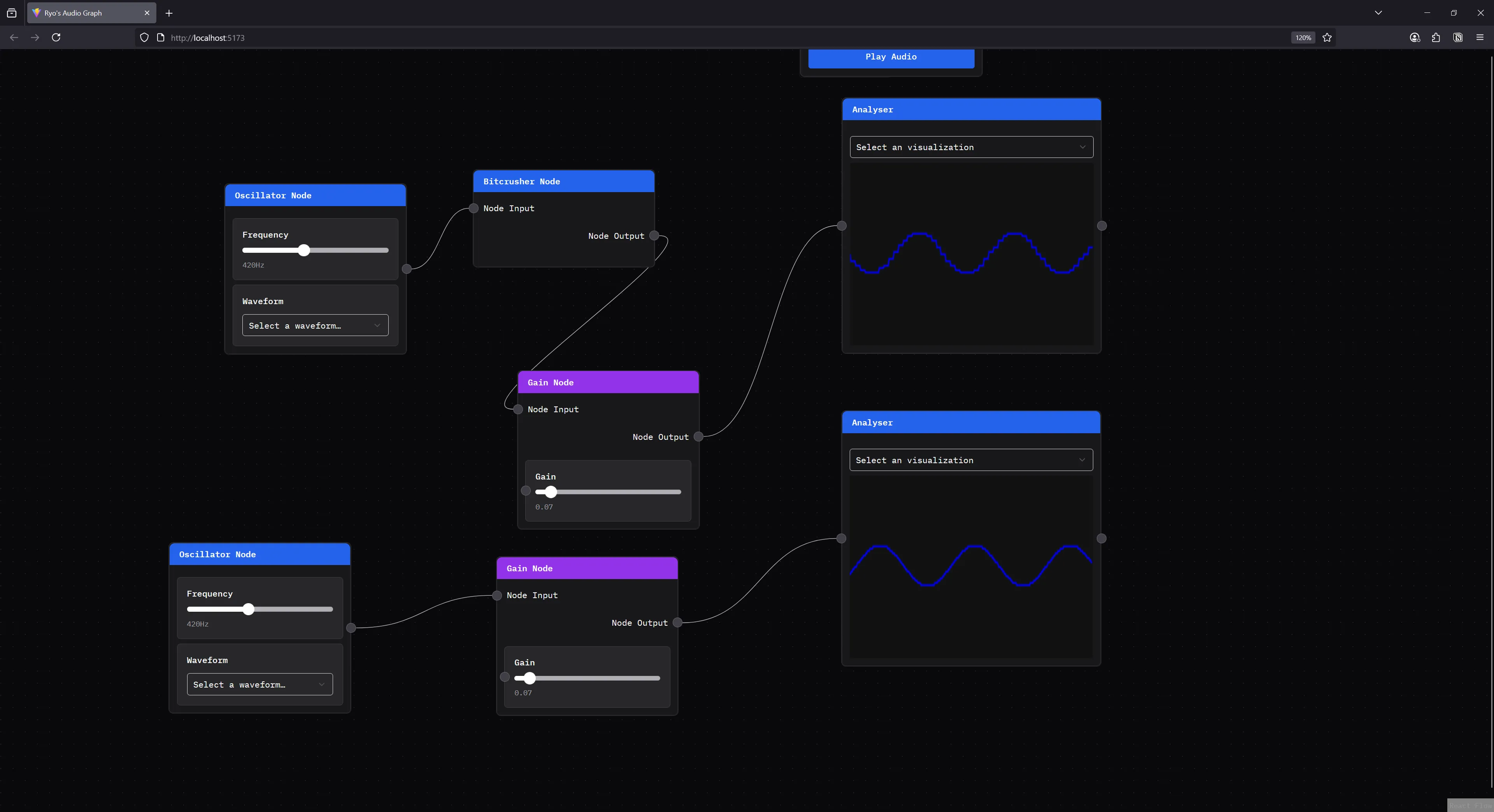
The coolest part of this project was using it to test and develop Clawdio (which I’ll talk about next). I was able to import Clawdio modules and quickly add them as nodes to chain into the audio graph. This proved essential as a tool to help visualize low level audio work that starts as native Rust code.
Check out the source code here.
Clawdio
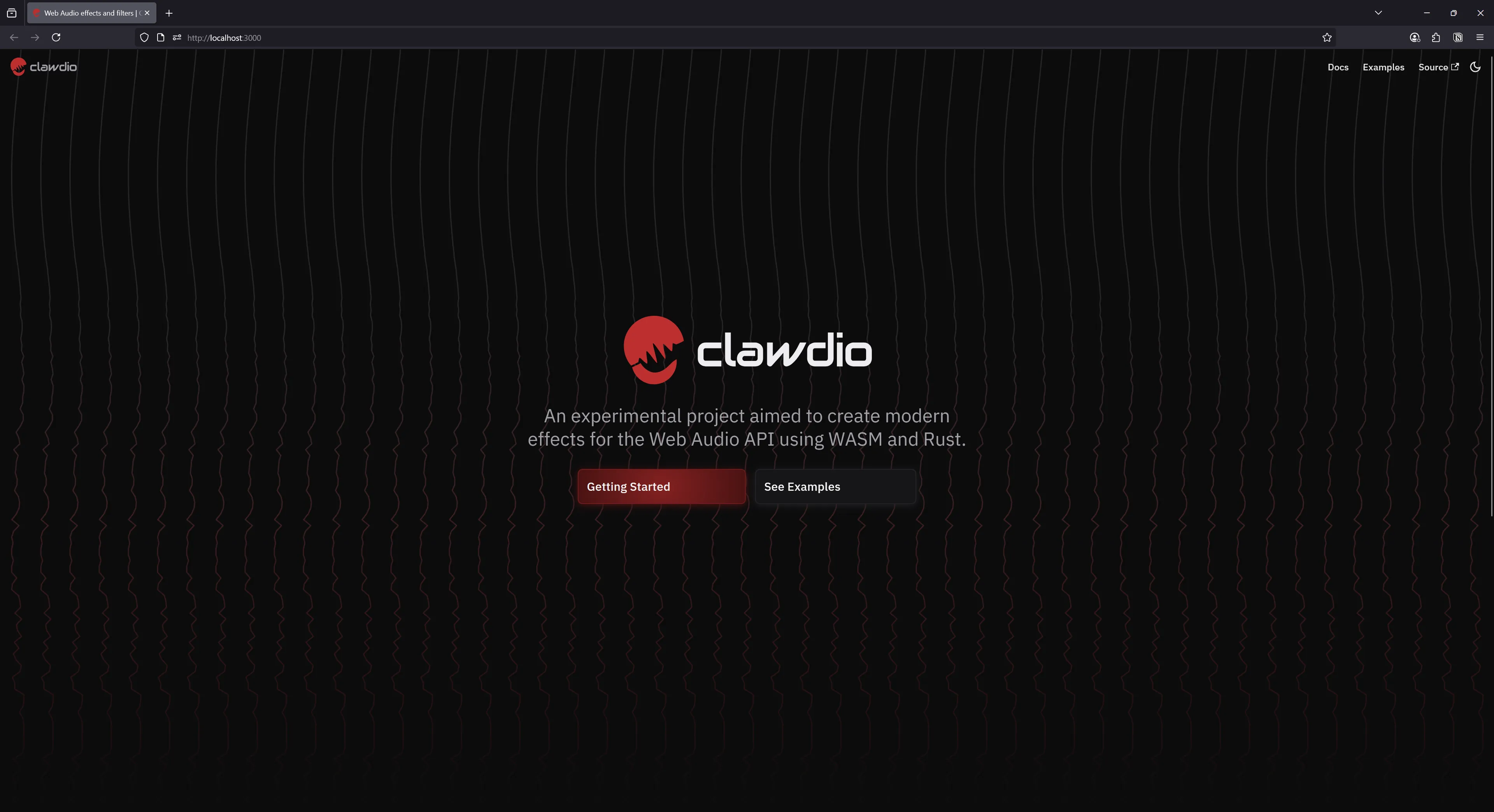
One of my biggest projects of 2024 was Clawdio, a JavaScript library for creating web audio effects using WASM. I’d been doing a lot of explorations into low level audio programming, from visualizations using Blender and p5, to writing apps like the node graph. In my research I discovered Web Audio worklets that allow you to run audio code on a separate thread. This was commonly combined with WASM to run native code on the separate thread — ideally making it even faster.
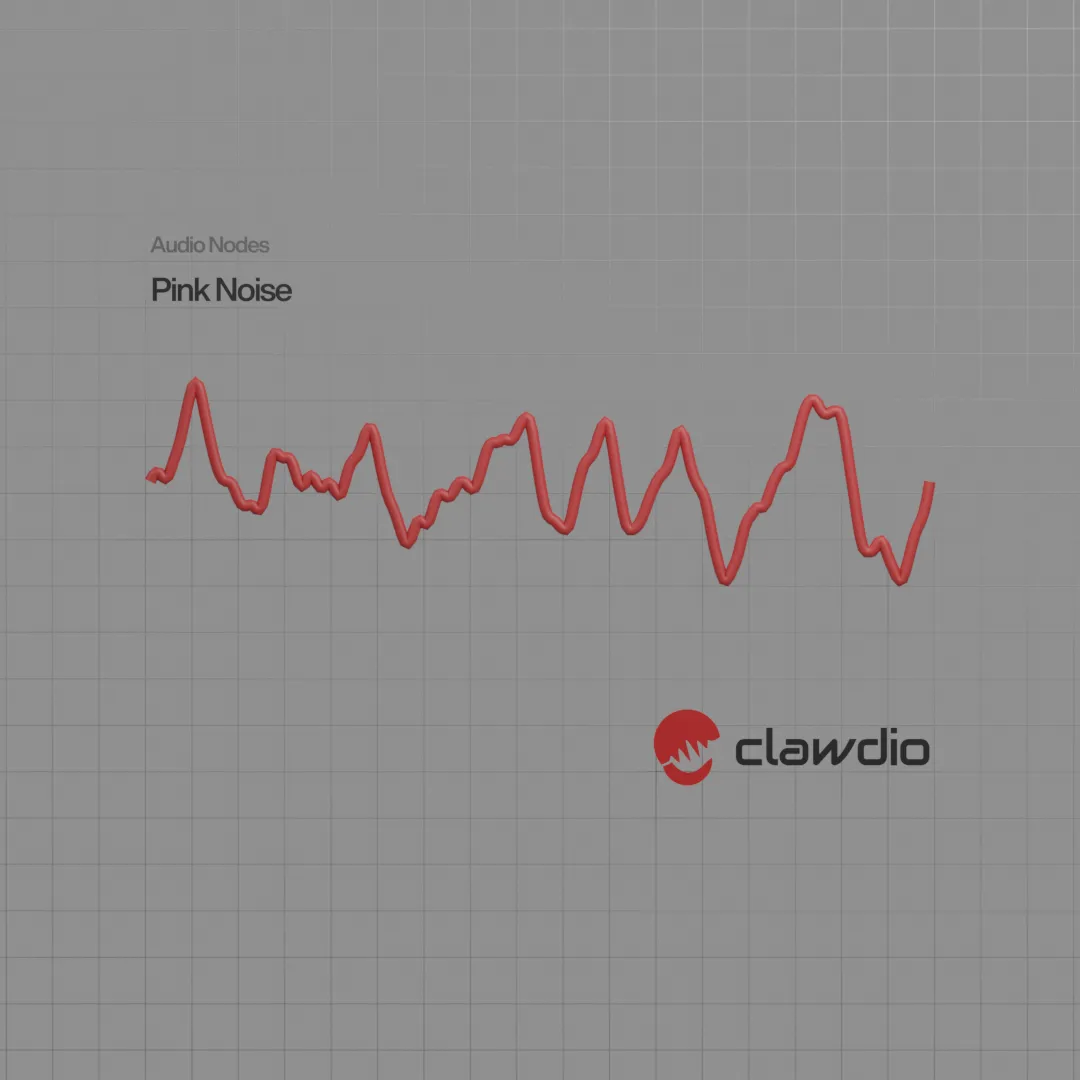
Clawdio is an encapsulation of those concepts. Rust code gets compiled into WASM, and that gets used inside a web worklet to generate various audio effects — like a Bitcrusher that “crushes” your audio into sounding 8-bit.
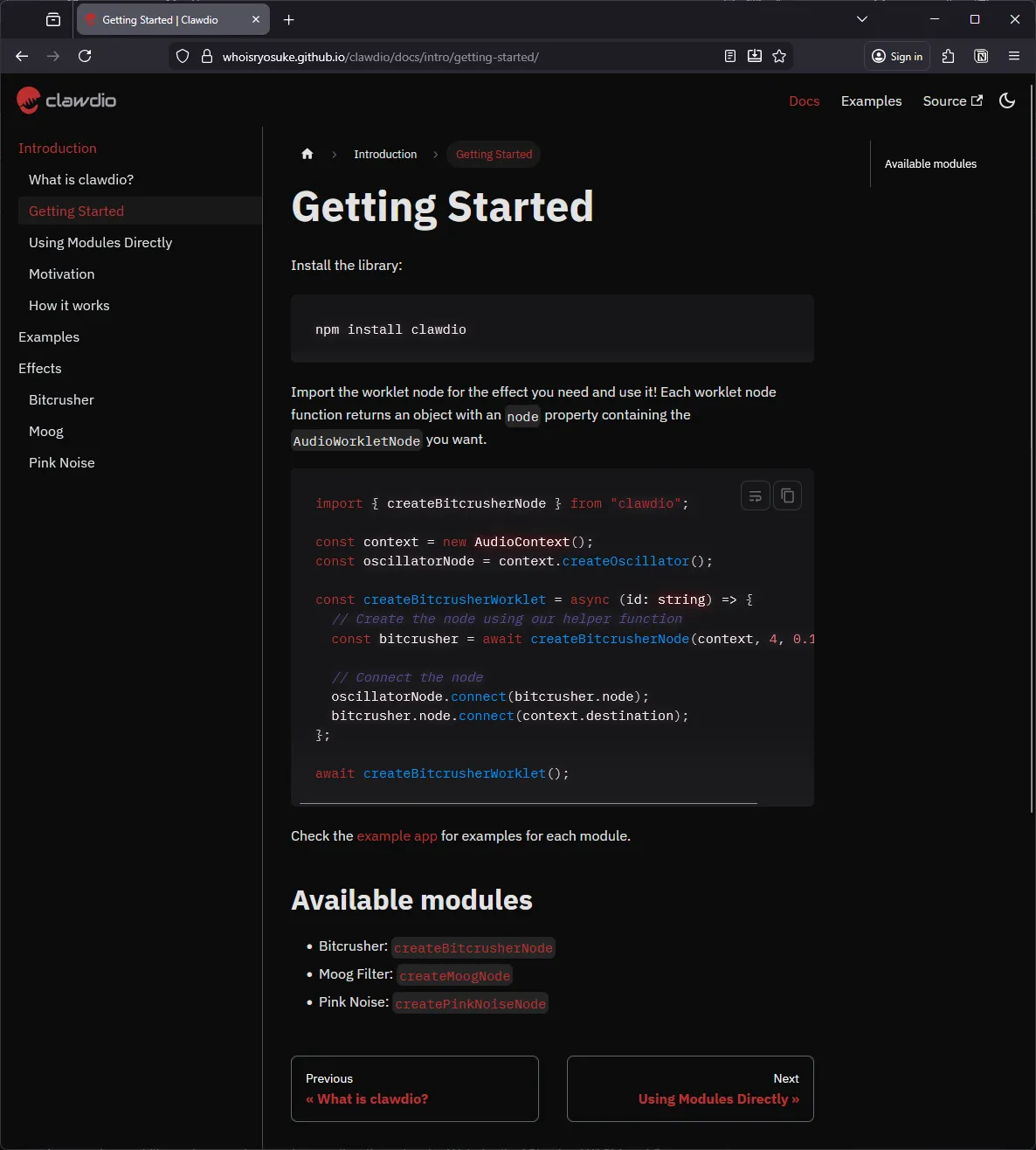
You can read the first blog post here and second here, check out the docs here, or browse the source code.
Piano Learning App
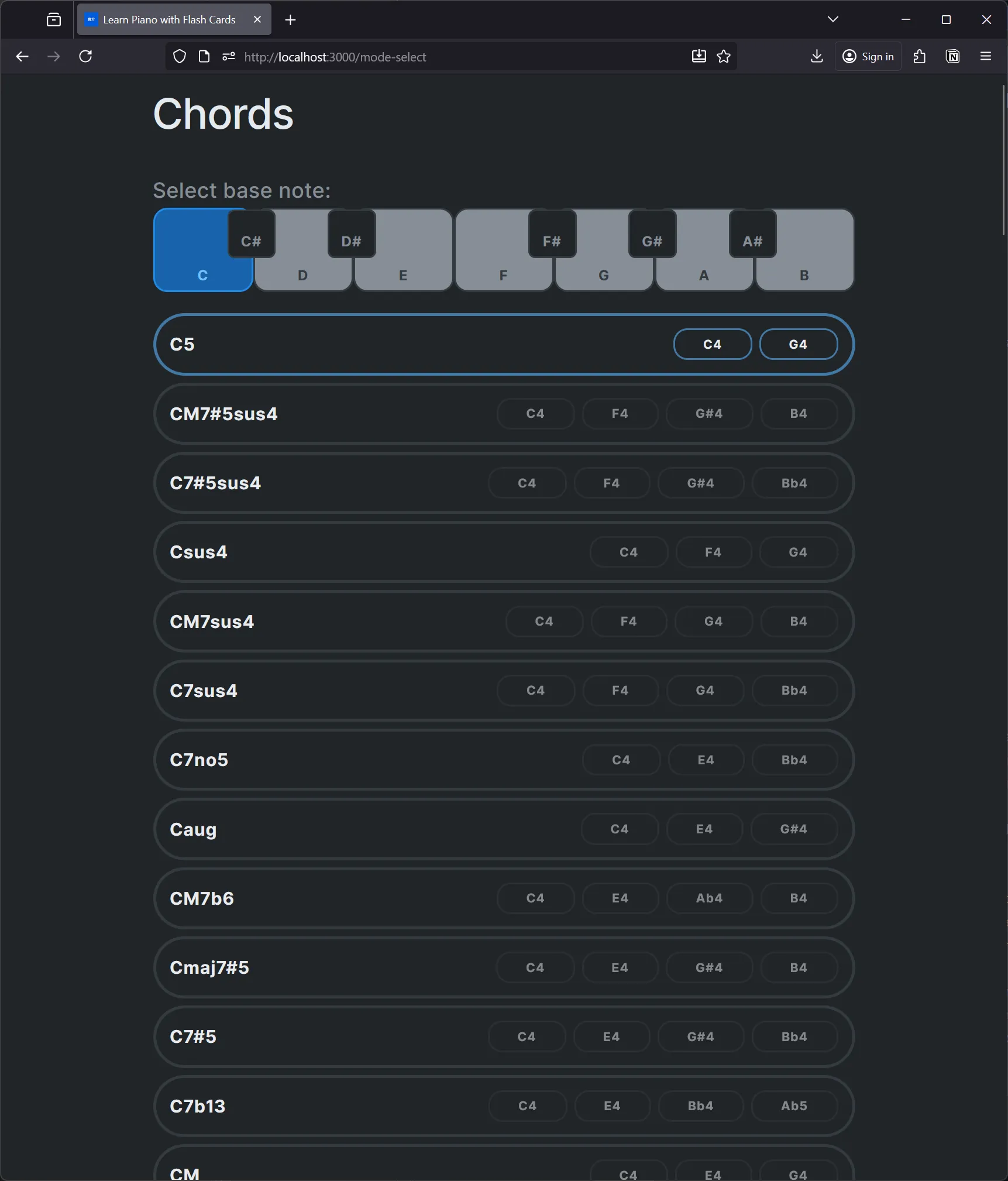
One of my commitments in 2024 was learning to play piano. To assist that process, I developed an app that lets me practice common chords and scales. This was a great way to refresh myself on music theory fundamentals and reinforce piano concepts from a coding perspective.
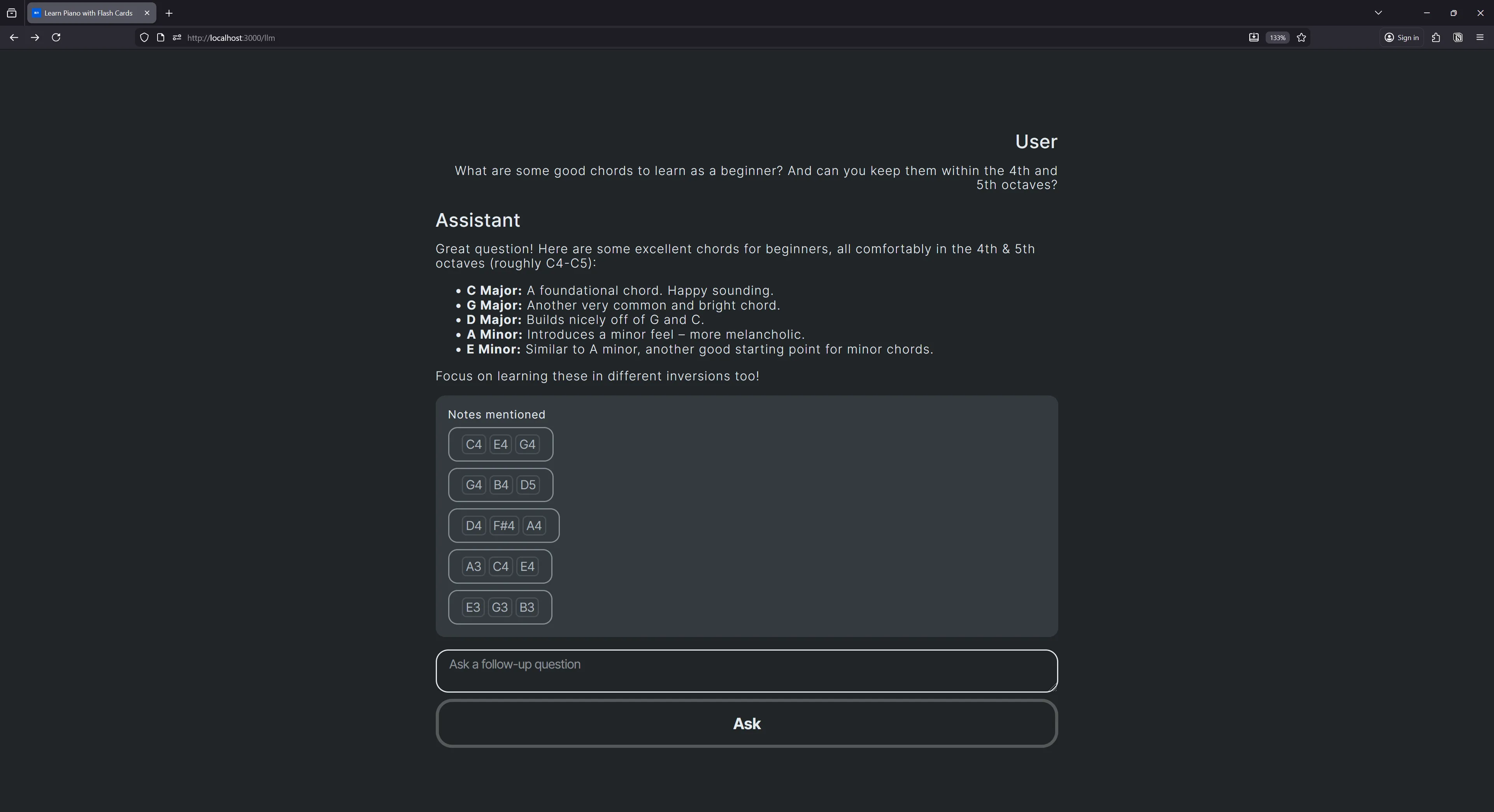
I was also able to use this app as the basis for other experimentations, like integrating an LLM to see if it could elevate my learning experience, as well as improve app workflows (like generating lessons plans).
LLM Research App
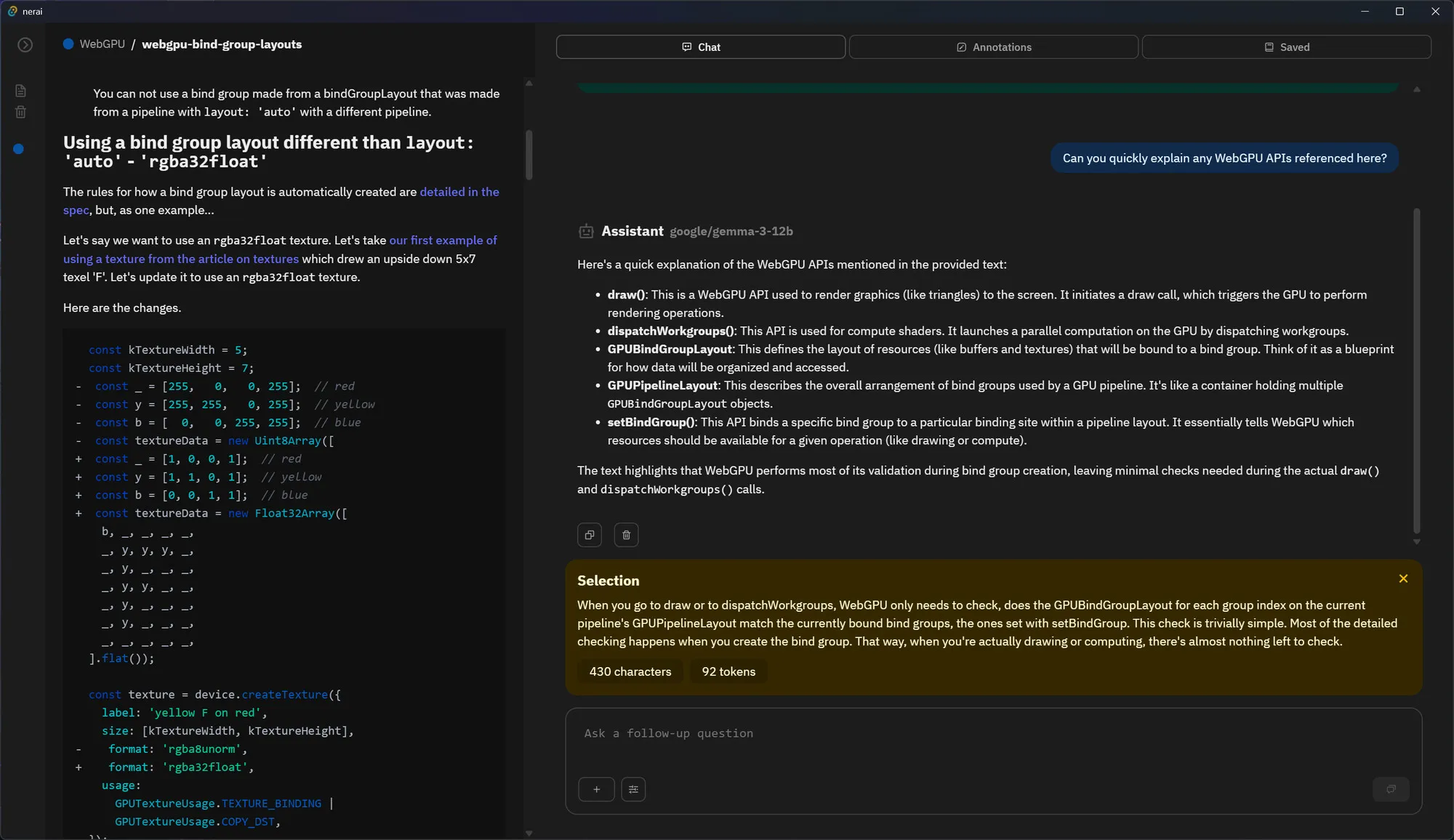
After using Google’s NotebookLM and UNMS Research app, I was inspired to create my own. I spun up a Tauri app with ReactJS, connected it to a local LLM model, and setup a local vector database using SQLite — and a myriad of other features.
Now I have an app where I can import PDFs or Markdown files, read them and save annotations, and quickly chat with an LLM about it. It’s great for a lot of the deeper research I have to do with low level graphics, audio, ML, etc documentation and allows me to more quickly parse through technical content.
If you’re interested in this, I have a short blog series that goes over the process. This project isn’t open source, but you can find an early version of it on my Patreon if you’re a subscriber..
Assorted art
And as always, I’m constantly creating art - either for fun or experimentation. I had a few interesting pieces this year.
Nintendo Switch 2 Joycon Piano
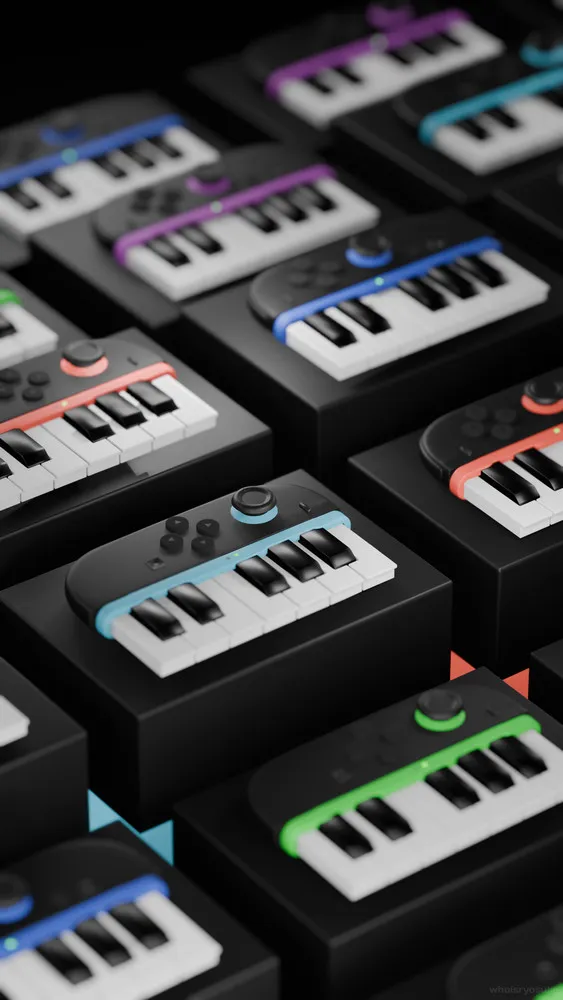
For the release of the Switch 2, I modeled and animated the new Joycons but added a set of piano keys. This was a fun project. It combined using MIDI Motion for animating to Nintendo-themed music, as well as some procedural animation in some cases using geometry nodes.
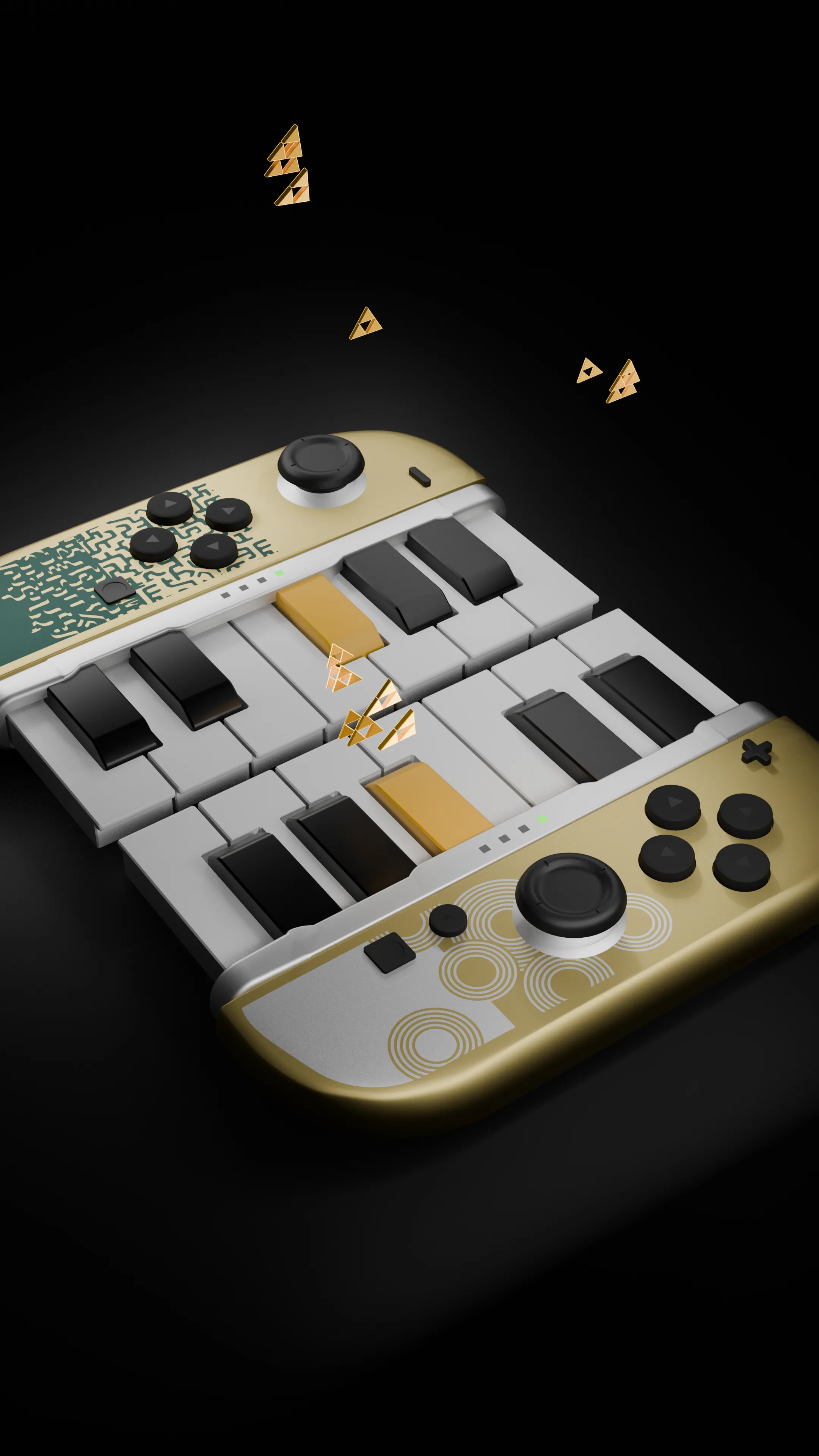
I also created a few variations based off some of my favorite franchises: Luigi’s Mansion and Legend of Zelda. With these animations I focused on emitting particles on piano press which was powered using geometry nodes. I’ve since added this technique to the MIDI Motion docs.
And then to take it to the next level, I exported the 3D model to the web and made it interactive using ThreeJS. Pressing keys on your keyboard activate piano keys and play Nintendo Switch sound effects.
Polyend Tracker
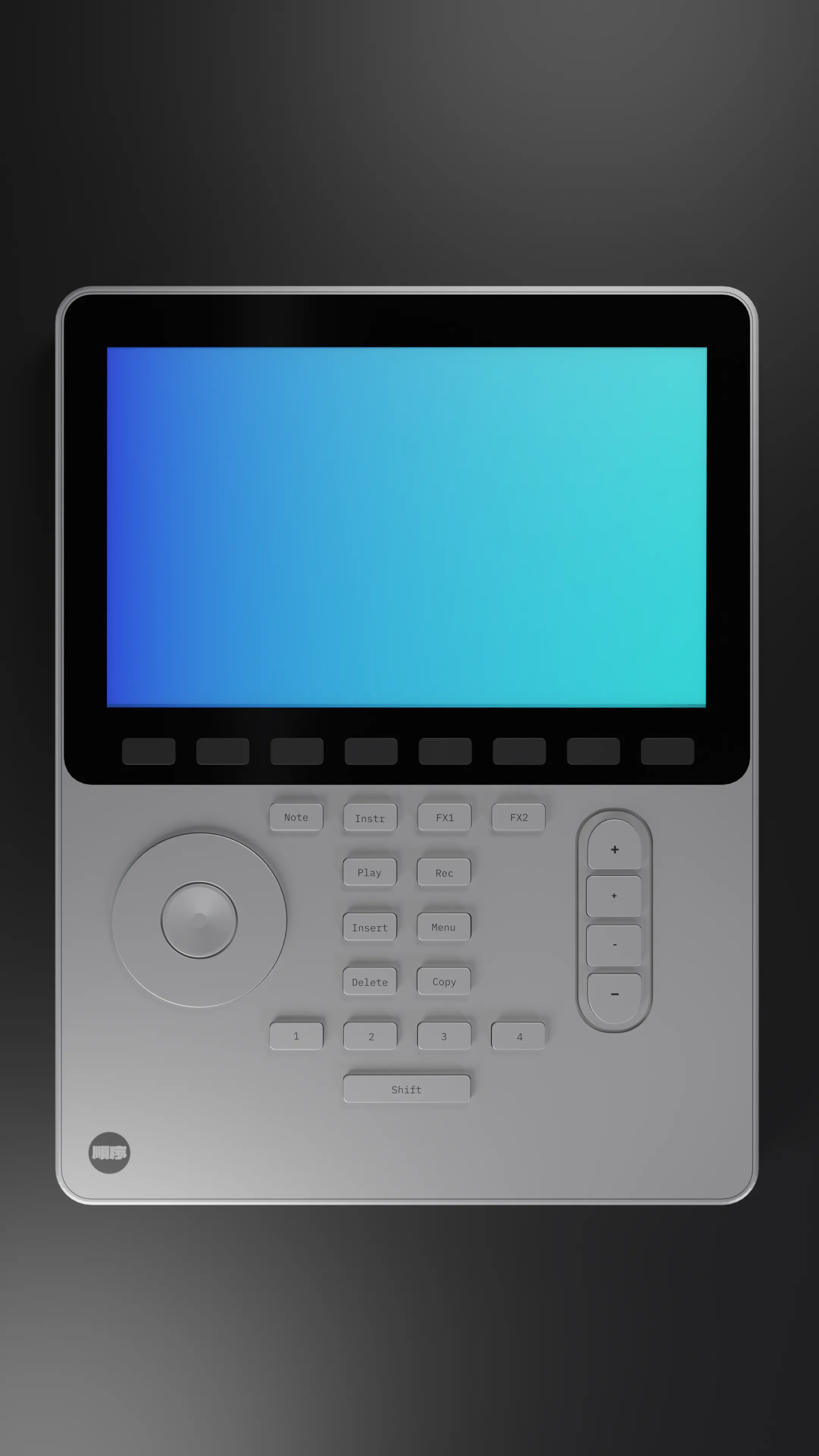
The second I saw this MIDI sequencer on my feed I knew I wanted to 3D model it. This was a fun project to put together to practice my product modeling and animation skills.
I was also able to export the 3D model to the web and play Rive animations on the it’s screen, where I was able to setup a custom frequency bar waveform animation.
Motion Graphics
There’s so much to see here. If you check out the Media tab on my socials or my Instagram you can see all the art and animations I’ve posted. I also recommend checking out my IG Stories, I’ll post BTS snippets there often. And if you subscribe to my Patreon, I have source file for some of the animations.
Cheers
Thanks for reading! Hope this inspired you to start a new project, learn some new concepts, or discover cool code. This is just a snippet of my work. Most of it doesn’t make the cutting board or isn’t very visually interesting to justify presentation. But know that I’m doing even wilder things under the surface.
As always if you want to support me and my work you can just like/repost my stuff on socials — that’s the best currency you can offer. But if you can, Patreon is also a great way to send a coffee my way.
Stay curious, Ryo